
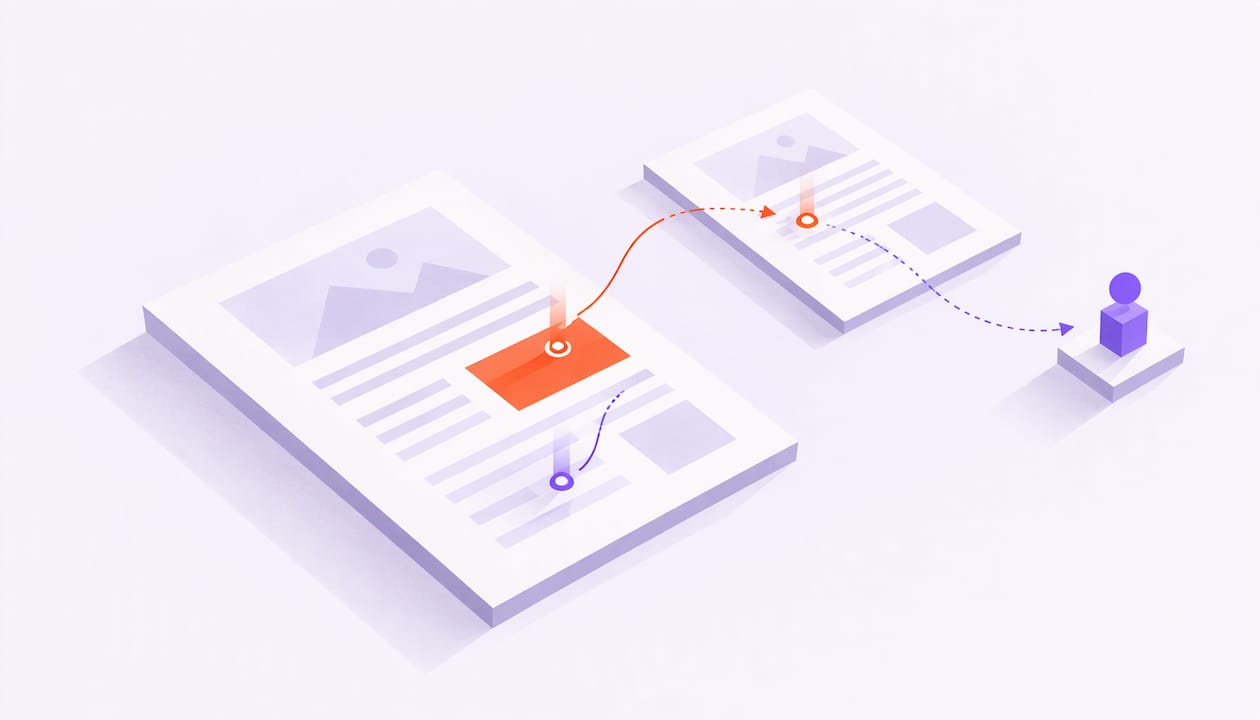
To track proposal views, send your proposal as a tracked link instead of an attachment. Every time someone opens it, you see who opened it, when, which pages they read, how long they stayed and whether it reached new people. That turns "did they open it?" into "what did they care about?", which is the question that decides your next move.
This guide walks through how view tracking works, what the data can and cannot tell you, how to follow up on it, and how to stay on the right side of US email rules.
TL;DR
- Send proposals as tracked links so you get views, time per page, return visits and forwarding in one place.
- A single "opened" ping is weak. Page-level attention and forwarding to new people are the signals worth acting on.
- Security scanners can open links before a human does. Look for patterns, not one event.
- Follow up based on behavior: quickly after real engagement, patiently after silence.
- US commercial email, including B2B, falls under CAN-SPAM, so keep your follow-ups honest and compliant.
Table of Contents
- What "tracking proposal views" actually means
- Three ways to see who viewed your proposal
- Set it up in five steps
- What the data can show you
- How to read the signals without fooling yourself
- When to follow up after a view
- Automate the routine, keep the message human
- A worked example
- Who else benefits from proposal-view data
- Our perspective
- Keep your follow-ups CAN-SPAM friendly
- Try it on your next proposal
- Frequently asked questions
- Sources
What "tracking proposal views" actually means
Most people start with a simple goal: know whether the proposal was seen. That is the floor, not the ceiling.
Good proposal tracking answers four questions after you press send:
- Did anyone open it, and when?
- How far did they get, and where did they slow down?
- Did they come back?
- Did they pass it to someone else?
A basic open notification only answers the first. The other three are where the useful information lives. A prospect who spent three minutes on your pricing page and came back the next morning is in a very different place from one whose link was clicked once at 3:02 a.m.
Three ways to see who viewed your proposal
There are three common approaches. They differ mainly in how much they tell you.
| Method | What you see | Main weakness |
|---|---|---|
| Email read receipts or open pixels | Whether the email was opened | Says nothing about the proposal itself |
| Click tracking on a link in the email | That a link was clicked | One data point, easily triggered by software |
| A tracked document link with page analytics | Views, time per page, return visits, forwarding, recipient | Needs you to share a link rather than an attachment |
The third method is the one we build around. When your proposal lives behind a unique link, the link itself becomes the sensor. You are measuring what happens inside the document, not just whether an email was touched.
Set it up in five steps
The workflow is short. Here is the version we use and recommend.
- Upload your proposal. Use the PDF or deck you would have attached anyway.
- Create a tracked link. Make one link per recipient, so you always know who is behind the activity.
- Send it from your own inbox. A message from your real address reads like a real message from you, which helps your relationship and your deliverability.
- Turn on alerts. Decide what deserves a ping: a first open, a return visit, a deep read of pricing, a forward.
- Watch it warm up. Check the dashboard for page-by-page attention and let the signals tell you when to reach out.
If you have several stakeholders on one deal, give each person their own link. That is what lets you notice when a decision maker you never emailed suddenly appears in your analytics. For more on setting alerts so reps actually act on them, see our guide to real-time engagement alerts.
What the data can show you
Page-level tracking gives you a handful of signals. Each one means something different.
Page views and time per page
This is the core. You see which pages got attention and which were skipped. If your pricing page gets four minutes and your case studies get four seconds, you know what the buyer is weighing.
Repeat visits
A second or third visit usually means the proposal is being reviewed, discussed or compared. Pay attention to the gap between visits and what changed in the pages viewed.
Forwarding
When a link reaches a person you did not send it to, that is often the most valuable event in the whole deal. Someone inside the account thought the proposal was worth sharing. Forwarding detection is a headline feature of WarmDoc for that reason: it points to real interest and often to a new stakeholder you can now prepare for.
Which proposal version they saw
If you revise pricing or scope mid-deal, you want to know which version each buyer actually read. We cover that in proposal version tracking.
How to read the signals without fooling yourself
Views are evidence of attention. They are not a promise to buy. A few habits keep you honest.
Watch for scanner noise
Many companies run email security software that checks links before a person ever sees them. These systems prefetch and scan links, and that can register as a click or open even though no human was involved. Typical giveaways are activity seconds after delivery, several links hit in rapid succession, and clicks with no matching open.
The fix is to weight what a machine rarely does. Scanners do not linger on page four, read your pricing for ninety seconds, return the next day or forward the link. Our own positioning is built on this point: we aim to separate real engagement from scanner noise by focusing on page-level behavior instead of a bare open.
Look at the pattern, not the event
One view means little. A sequence tells a story:
- First view, short, on page one only: curiosity or a skim.
- Long time on pricing, then a return visit: active evaluation.
- A new viewer appears: your champion is selling internally.
- Nothing for several days: the deal may be stalled, or the right person has not seen it yet.
Do not read intent into one metric
Someone may spend ten minutes on a page because it confused them. Someone may read only the summary because they trust you. Use views to choose the right conversation, then ask. "I noticed the timeline might be a big question for your team, want me to walk through it?" is a better call opener than any assumption.
If you want to turn these patterns into a repeatable score, our engagement scoring guide breaks it into nine steps. WarmDoc also sorts deals into hot, warm and cold automatically, so you start each day with the hot links.
When to follow up after a view
Timing is where tracking pays off. The right move depends on what you saw.
After real engagement
If the recipient read deeply, came back or forwarded the link, reach out soon while the proposal is fresh. Reference something specific from the pages they spent time on. That makes your message feel like help, not pressure.
After a view with no reply
One published B2B sequence suggests a four-touch structure: a short value-focused recap after roughly 24 hours, added value around 72 hours, a timing question near day 7, and a closing-the-loop note somewhere in days 14 to 21. Treat those intervals as a starting point and adjust to your sales cycle. Our guide to sales follow-up timing goes stage by stage.

When the proposal has not been opened
Silence is a signal too. The Opensense and Gong playbook points out that most sellers treat notifications as a trigger for immediate action, but a lack of engagement is also informative. If a buyer has not viewed the material a couple of days after you sent it, it suggests waiting another day, and if you want to do something, engaging with their company or personal content on LinkedIn instead.
If the link still has not been touched after that, try a different channel or a different person. A short note that makes the link easy to find usually beats a third "just checking in."
Need ready-made wording? Our proposal follow-up email templates cover three to four touches.
Automate the routine, keep the message human
Behavior-based follow-up works best when the timing and stop rules are automated but the words are yours. Good workflow automation for SaaS teams maps triggers, waits and exit conditions in advance, so nobody gets a nudge after they have already replied.
WarmDoc connects to Zapier, so a high-intent page signal can create a task in your CRM or post to your team channel. If you want ideas to copy, see six follow-up workflows built on page signals. The rule of thumb: automate the alert, personalize the message.
A worked example
Priya is an account executive selling a software implementation. She sends a proposal to Dan, her main contact, from her own inbox using a tracked link.
On Tuesday afternoon Dan opens it and reads for about two minutes, mostly on scope and pricing. Priya gets an alert but waits. On Wednesday morning the link is opened again, and this time a second viewer appears. Dan has forwarded it to his finance lead, who spends most of their time on the payment terms page.
Priya now knows three things she would have missed with a plain open notification: pricing is the focus, finance is involved, and payment terms are the likely question. She emails Dan: "Happy to walk your finance team through the payment schedule. Would Thursday work?" She comes to the call prepared, with a clearer option on terms.
The proposal did not close itself. The data helped her say the right thing at the right moment.

Who else benefits from proposal-view data
Proposal analytics are not only for the rep who sent the deck.
- Sales leaders see which deals deserve coaching and which reps follow up on real signals.
- Customer success managers check what a client reviewed before a renewal or expansion call.
- Business development teams track which outbound proposals get past page one.
- Marketing teams learn which sections buyers read and which they skip.
- Product managers see which features and pages draw sustained attention.
The Opensense and Gong playbook recommends that sellers look back through 20 or more recent proposals, identify high and low engagement patterns, and send those observations to a marketing colleague with ideas for improvement. Doing that regularly is how a pile of views becomes a better proposal template. If you want a framework for grouping accounts before you compare them, this piece on account segmentation models is a good companion. And when you are ready to tune the content itself, start with our post on optimizing B2B sales decks.
Our perspective
Most tools stop at "opened." We think that is the least interesting thing a proposal can tell you.
What moves a deal is attention: which pages a buyer reads, whether they come back, and whether the link travels to someone with a say in the decision. That is why WarmDoc is built around page-level analytics and forwarding detection, and why we aim to separate real engagement from scanner noise.
We also believe the relationship matters. Sending tracked links from your own inbox keeps your message personal and your deliverability healthy. Our job is to sharpen your judgment, not replace it: you get credible signals, you decide what to say.
Used well, that means fewer blind follow-ups and more conversations that start with "I saw your team looked at the rollout plan."
Ty
Keep your follow-ups CAN-SPAM friendly
Tracking is only half of the workflow. The email you send around it has to comply with US law.
The FTC says the CAN-SPAM Act covers all commercial email and makes no exception for business-to-business messages. Its guidance asks for accurate header information, subject lines that reflect the content, a clear indication when a message is an ad, a valid physical address and a working way to opt out.
Whether a given message counts as commercial depends on its primary purpose. The rule's primary-purpose test looks at the content and subject line, and distinguishes commercial messages from transactional or relationship messages. A reply to a prospect's question about contract terms reads differently from a bulk promotional blast. If you are unsure how your sequence is classified, ask your counsel.
Practical habits that help:
- Write subject lines that say what the email is about.
- Use your real name and address as the sender.
- Honor opt-out requests promptly, and stop automated touches for anyone who opts out.
- Tell recipients plainly that you share documents through a link.
Try it on your next proposal
You can start tracking your next proposal today. WarmDoc has a Free plan at $0 per month. Pro is $19 per month per user, and Team is $39 per month per user. On annual billing, Pro is $190 per year per user and Team is $390 per year per user. You get page-by-page engagement, forwarding detection, recipient-specific tracking, real-time notifications, hot, warm and cold pipeline scoring, team analytics and Zapier integration.

Start free with your next proposal, or see pricing to compare plans. If you want to see what the numbers can mean for your team first, our ROI page lays out the math, and the features page shows everything included.
Frequently asked questions
Can I see who viewed my proposal?
Yes, if you share it through a tracked link created for each recipient. You see when that person opened it, which pages they read and whether they returned. If the link appears under a viewer you did not send it to, it has likely been forwarded.
How do I know a view is a real person and not a scanner?
Look at behavior. Automated checks tend to happen within seconds of delivery and touch many links at once. A person reads pages, spends time on pricing, comes back later or forwards the link. Weight those human patterns over a lone open.
How soon should I follow up after a proposal is viewed?
If the recipient read deeply, returned or forwarded it, reach out soon and reference the pages they spent time on. If it was a short view with no reply, a common pattern is a recap around 24 hours and added value around 72 hours. Adjust to your sales cycle.
What if the proposal was never opened?
Wait a day or two beyond your first send, then try a short note that makes the link easy to find. You can also engage with the prospect on LinkedIn, or ask your champion to loop in the right person.
Does CAN-SPAM apply to B2B proposal emails?
The FTC states the law makes no exception for business-to-business email. Whether a particular message is commercial depends on its primary purpose, so keep headers and subject lines accurate and honor opt-outs.
Sources
- CAN-SPAM Act: A Compliance Guide for Business (FTC)
- 16 CFR Part 316, CAN-SPAM Rule (eCFR)
- Automate Proposal Follow-Ups That Feel Human (LOW/CODE)
- Using What Buyers Say (& Don't) to Win More Deals (Opensense and Gong Playbook)
- How to Track Bot Clicks in Emails (Mailmodo)