
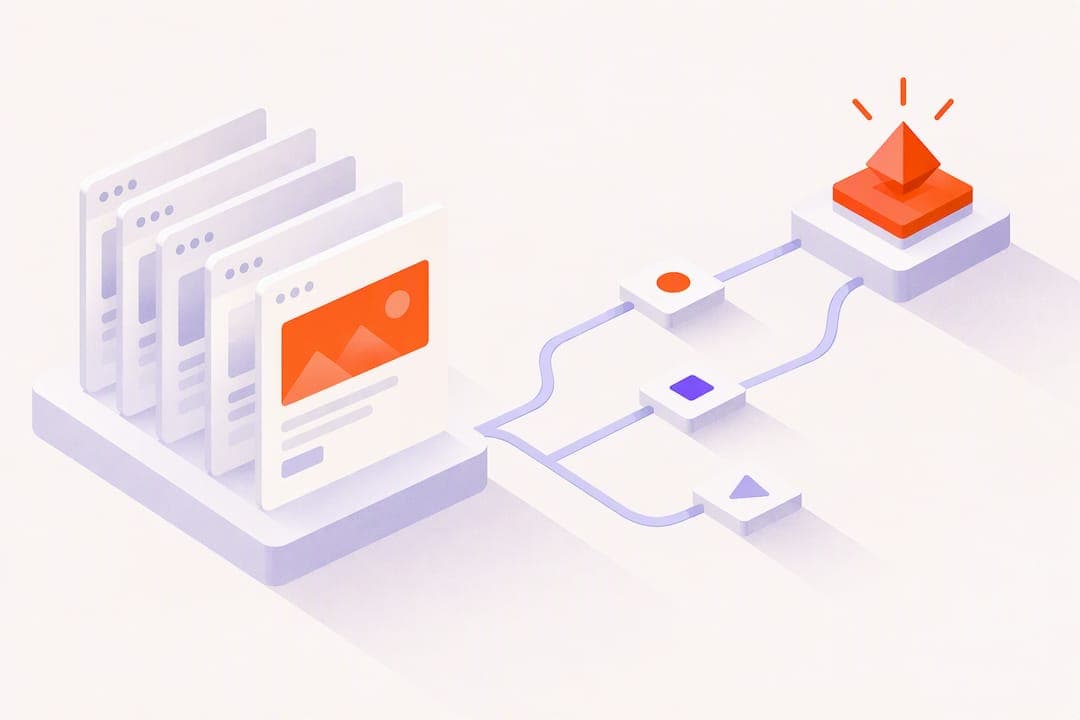
An automated follow-up workflow is a triggered sequence of emails, texts, or tasks that runs without anyone manually clicking send. It saves hours of repetitive work, keeps outreach consistent, and raises reply and conversion rates because no lead slips through a gap in someone's calendar. Below, you'll find ready-to-copy templates, a mapping process, and the metrics that tell you whether a sequence is actually working.
TL;DR:
- Trigger conditions can be based on form submissions, page visits, purchases, or inactivity, with delays and branching logic controlling follow-up paths.
- Templates should be simple, starting with no more than three steps, and tested thoroughly before adding complexity or multiple sequences to avoid overlaps.
- Key metrics such as reply speed and response time are critical to measure, as quick replies signal higher engagement and warrant faster escalation.
- Page-level tracking and forwarding detection help prioritize leads, especially when prospects revisit pricing pages or share materials with colleagues.
- Launch sequences gradually, monitor performance closely, and ensure compliance by including working unsubscribe links and processing opt-outs within 10 business days.
Table of Contents
- What makes up an automated follow-up workflow
- Six follow-up workflow templates you can copy
- How to design and map a follow-up workflow
- Rolling out automation without creating a mess
- Measuring and optimizing your workflows
- Using page-level engagement to prioritize follow-ups
- Start small, then let the data tell you what to scale
- Where WarmDoc fits into your follow-up stack
- FAQ
- Sources
What makes up an automated follow-up workflow
Every workflow has the same four parts, whether it runs through email, SMS, or your CRM.
A trigger starts the sequence: a form submission, a purchase, a page visit, or a stretch of inactivity. You pull these from your CRM properties, your website's event tracking, or a point-of-sale system. The action is what actually happens: an email goes out, a text arrives, a task lands on a rep's desk, or a CRM field updates. Delays and conditional logic control pacing and branching, so a contact who clicks a link gets a different next step than one who ignores the message entirely. Every workflow also needs an exit rule: a reply, a booked meeting, or a set number of touches that ends the sequence automatically.
- Triggers: form fills, purchases, page visits, inactivity windows
- Actions: email, SMS, CRM field updates, task reminders for reps
- Logic: delays, if/then branches, and defined exit criteria
- Suppression: unsubscribe lists and do-not-contact flags checked before every send
According to HubSpot's guide to automating follow-up emails, building a sequence typically means choosing a trigger, picking a template, adding personalization, and setting the logic that decides what happens next. Skip the suppression step and you risk emailing someone who already opted out, which is both a bad look and a compliance problem.
Six follow-up workflow templates you can copy
These templates cover the situations most sales and marketing teams run into. Each one lists the goal, the trigger, the timing, and when the sequence should stop.
- Welcome or onboarding series: goal is activation; trigger is signup; send an immediate confirmation, then two more touches spaced across the first 7 days; exit on first product action taken.
- Post-purchase sequence: goal is retention and reviews; trigger is a completed order; send a confirmation, follow with usage tips a few days later, then request a review around the 2-week mark, a pattern Mailchimp's automation examples describe as standard for ecommerce.
- Abandoned cart recovery: goal is completed checkout; trigger is cart abandonment; send a reminder after 1 hour, a second after 24 hours, and a final nudge at 3 days; exit immediately on purchase.
- Re-engagement campaign: goal is reactivation; trigger is a defined inactivity window; offer an incentive or ask a direct question, then stop if there's no response after two attempts.
- Sales outbound sequence: goal is a booked meeting; trigger is a new lead or target account; mix email and calls across 8 to 12 touches over 2 to 4 weeks, with pause-on-reply logic so a response halts the rest of the sequence.
- No-show follow-up: goal is rescheduling; trigger is a missed meeting; send a reschedule link right away, follow up once more within 48 hours, then hand off to a manual task if there's still no response.
How to design and map a follow-up workflow
Start with the goal, not the tool. Decide whether you're optimizing for replies, booked meetings, or completed purchases, and pick one KPI to judge the workflow against before you build anything.
Next, sketch the workflow before touching your automation platform. Mailchimp's setup guidance recommends mapping triggers, delays, and exit conditions on paper or a whiteboard first, since fixing logic errors after launch is far more disruptive. At minimum, document the trigger, each action, the delay between steps, and the exit condition for every branch.
- Define the trigger and its data source: a CRM property change, a page visit, or a calendar event
- Write explicit rules, such as "if no reply after 3 touches, move to re-engagement"
- Set timing based on the sequence type: hours for cart abandonment, days for onboarding
- Decide exit criteria before launch, not after complaints start arriving
- Assign a human owner for any step that needs manual judgment, like a high-value lead reply
Data sources matter here too. A law firm or clinic running lead-generation pages with built-in CRM integration, for example, can trigger a workflow directly from a form fill on a specialized website build, while a retail business running in-person promotions might trigger follow-ups from QR code scans instead of a web form.
Pro Tip: Build your first workflow with no more than three steps. Add complexity only after you've confirmed the basic version works.
Rolling out automation without creating a mess
The most common failure isn't bad copy, it's overlapping workflows sending contradictory messages to the same person. Launch in phases: start with one or two high-value sequences, like welcome and post-purchase, before layering in anything else.
- Launch core sequences first and monitor performance before adding new ones
- Apply frequency caps so no contact receives more than one automated touch per day
- Set priority rules so a sales sequence pauses if a support ticket opens
- Keep personalization factual (name, company, product used) rather than guessing at personal details
- Coordinate timing across channels so an SMS doesn't arrive five minutes after an email
Compliance isn't optional. Under the CAN-SPAM Act, you must process an opt-out request within 10 business days and keep the opt-out mechanism active for at least 30 days after sending. Every workflow needs a visible, working unsubscribe link, and your suppression list has to update before the next send goes out, not after.
Measuring and optimizing your workflows
Five metrics tell you almost everything: delivery rate, open rate, reply rate, conversion or meeting-booked rate, and time-to-response. Track these per workflow, not just in aggregate, since a strong welcome series can mask a weak sales sequence.
- Test one variable at a time: subject line, send time, or message content
- Run tests long enough to reach a meaningful sample before declaring a winner
- Use a control group for any major launch and report weekly during the first month
- Move to monthly reporting once a workflow has been stable for a few cycles
- Use reply or click behavior to shift contacts into a faster or slower sequence
A reply that arrives within an hour of a send is a far stronger signal than one that arrives three days later, and HubSpot's sequence research notes that built-in pause logic on replies prevents the awkward duplicate outreach that erodes trust fast. Treat a fast reply as a cue to escalate, not just a box to check off.
Using page-level engagement to prioritize follow-ups
Most tools only tell you a document was opened, which is a weak signal since an open can mean a two-second glance or genuine interest. Page-level tracking and forwarding detection go further: they show which specific pages someone lingered on and whether they passed the document to a colleague, both of which point to real evaluation happening internally.
Feeding these signals into a lead-scoring model can change how reps prioritize their day. A practical rule: if a pricing page gets viewed three or more times within 48 hours, or the deck gets forwarded to a new recipient, raise that lead's priority and notify the rep immediately rather than waiting for the next scheduled touch. For readers who want to see how this kind of tracking works in practice, WarmDoc's explanation of how it works walks through the mechanics.

Start small, then let the data tell you what to scale

If you're only going to build two workflows this month, build a welcome series and a meeting no-show sequence. They're the easiest to set up, the easiest to measure, and they touch the two moments where a slow human response costs the most: a new signup losing interest, or a missed meeting going cold.
Watch reply rate and time-to-response for the first few weeks before adding anything else. A workflow that visibly shortens the gap between a lead's action and your response is worth scaling. One that doesn't move either number isn't worth the added complexity, no matter how clever the copy is.
— Ty
Where WarmDoc fits into your follow-up stack
Automated workflows tell you when to follow up. What they don't tell you, on their own, is who's actually paying attention. That's the gap page-level analytics close: instead of guessing from a generic open event, we show which pages of a shared deck got attention and whether it was forwarded to someone new, so you can prioritize the follow-ups most likely to land.

- Page-level analytics show exactly which parts of a document held attention
- Forwarding detection flags when a deck reaches a new decision maker
- Engagement scoring helps you rank which leads deserve the next touch first
We offer a Free plan to start, with Pro and Team plans available for teams that want deeper scoring and collaboration features. Check WarmDoc pricing to see which fits your workflow.
FAQ
What are some examples of automated workflows?
Common examples include welcome or onboarding series, post-purchase follow-ups, abandoned cart recovery, re-engagement campaigns for inactive contacts, and multi-touch sales outbound sequences. Each uses a distinct trigger such as a signup, a purchase, or a stretch of inactivity, paired with a timed sequence of actions.
How do you automate follow-ups?
You automate follow-ups by choosing a trigger, selecting or writing a template, adding personalization, and setting the logic that decides timing and branching, according to HubSpot's follow-up automation guidance. Most teams map the workflow visually before building it to avoid logic errors once it's live.
What are the three automated workflows most teams start with?
Definitions vary across platforms, but a common starting set is a welcome series, a post-purchase sequence, and an abandoned cart recovery flow, since these have clear triggers and measurable outcomes. Starting with a small set and expanding gradually is a widely recommended approach for avoiding overlapping automations.
What are the four types of workflows?
There's no single universal list, but frequently cited categories are onboarding, retention or post-purchase, re-engagement, and sales or lead-nurture sequences. Teams often add a fifth category for transactional or support-triggered follow-ups as their automation matures.
How do automated follow-ups stay compliant with email law?
In the US, the CAN-SPAM Act requires a working opt-out link, processing unsubscribe requests within 10 business days, and keeping that opt-out mechanism active for at least 30 days after a message sends. Workflows should check suppression lists before every send to stay compliant.
Sources
- CAN-SPAM Act: A Compliance Guide for Business | Federal Trade Commission
- Sales sequences: 12 best practices for B2B teams in 2026 | HubSpot
- How to automate follow-up emails | HubSpot
- Email automation setup | Mailchimp