
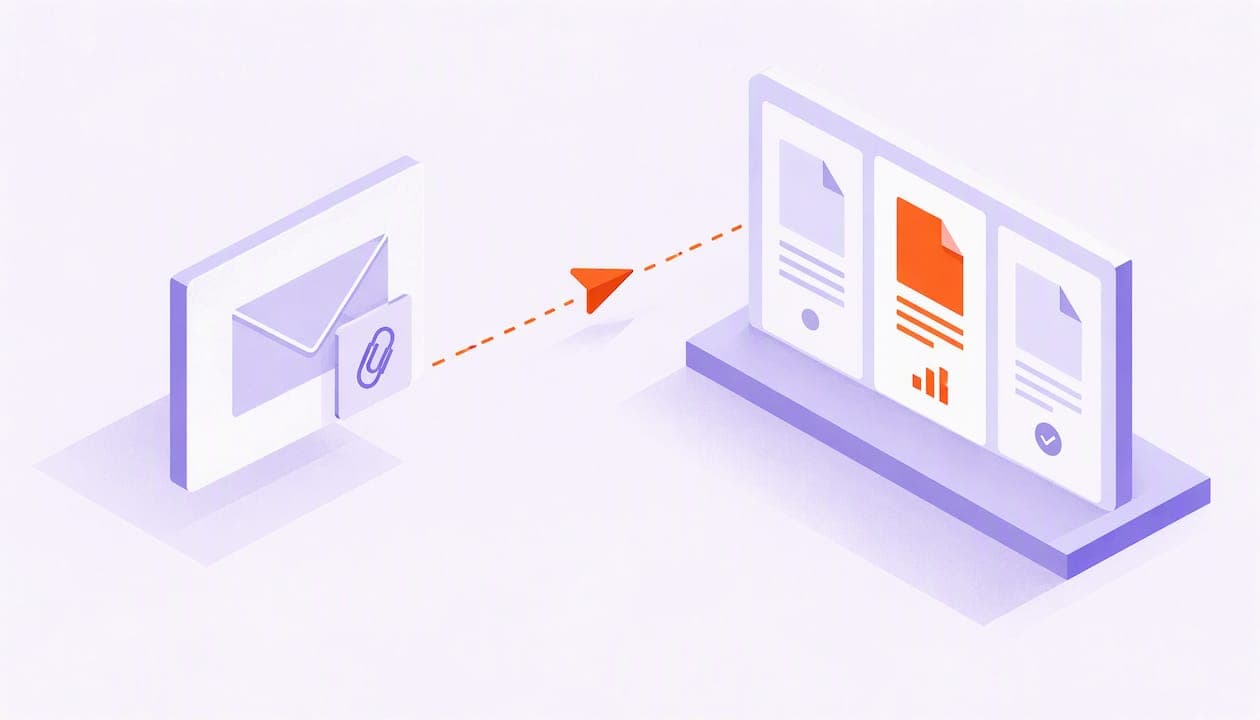
You can't reliably track a file that's attached to an email. Once a PDF leaves your outbox as an attachment, you lose sight of it. Read receipts depend on the recipient, and tracking pixels fire when a mail client pre-loads images, not only when a person reads. The method that works is to send the file as a tracked link. The tracking then happens on the document's side: who opened it, which pages they read, how long they stayed, and whether it reached someone new.
This guide covers what the built-in options in Gmail and Outlook can and can't do, why open tracking misleads, how link-based document tracking works, and how to do it without damaging trust or breaking privacy rules.
TL;DR
- A plain attachment can't be tracked. Read receipts are optional for the recipient, and pixel-based "opens" are often false positives.
- Replace the attachment with a tracked link to the same file. Tracking then runs on the document server, not in the recipient's mail client.
- Page-level data and forwarding detection tell you far more than "opened": they show what the buyer cared about and who else is looking.
- Send from your own inbox, tell recipients how you handle data, and follow the privacy rules that apply to them.
- WarmDoc has a free plan, so you can test this on your next proposal at no cost.
Table of Contents
- Why tracking an attachment is harder than it sounds
- What Gmail and Outlook can do on their own
- Why "opened" is a weak signal
- The approach that works: send a tracked link instead of an attachment
- How to track an email attachment, step by step
- Privacy and trust: do it in the open
- Our perspective: signals beat notifications
- Try it on your next proposal
- Beyond sales: who else benefits
- A quick example
- FAQ
- Sources
Why tracking an attachment is harder than it sounds
An email attachment is a copy of your file, delivered to a mailbox you don't control. After delivery, your email provider knows nothing about what happens to it. The recipient can open it in a preview pane, download it, save it to a drive, or forward it to five colleagues. None of that reports back to you.
Most "attachment tracking" you read about is really one of three things:
- A read receipt asking the recipient's mail app to confirm the message was opened.
- A tracking pixel, an invisible image that pings a server when the email loads.
- A link to a hosted file, where the file lives on a server and every view is logged.
Only the third gives you data about the file itself. The first two give you data about the email, and not very good data.
What Gmail and Outlook can do on their own
It helps to separate two questions people mean by "track email attachments": finding attachments in your mailbox, and seeing what happens to the ones you sent.
Finding attachments you already have
If you're hunting through your mailbox, Gmail's search handles it. According to Gmail Help, you can use search chips or operators such as has:attachment, or narrow by file type with filename:pdf or filename:xlsx. Combine them with a sender or date range and you can pull up every proposal you sent a given client in seconds. Outlook has an equivalent search and filter menu, covered in the same Gmail Help guide to viewing and finding email.
This is mailbox housekeeping. It tells you what you sent. It says nothing about who read it.
Read receipts and delivery receipts in Outlook
Outlook can request a read receipt or a delivery receipt from the Options tab. Microsoft's support page is clear about the limits. A delivery receipt confirms the message reached the recipient's server. A read receipt confirms an open only if the recipient agrees to send it, and some email providers and security setups block these requests entirely. You can't force it.
In practice, a prospect who is considering your $80,000 proposal is not going to click "Yes" on a pop-up asking whether to tell you they read it. Silence from a read receipt means nothing.
Gmail has no native equivalent
Gmail doesn't give you per-attachment open data for a standard message. Anything beyond delivery needs an add-on or a separate tool, which brings us to pixels.
Why "opened" is a weak signal
Most email trackers work by embedding a tiny image. When the email loads, the image is requested from a server, and the tool records an "open." That used to be a decent proxy for a human reading the message. It isn't anymore.
The NSW Email Toolkit explains that image pre-loading, used by Apple Mail Privacy Protection, Gmail and many corporate security gateways, can trigger the pixel before a person ever sees the message. The result is inflated opens and unreliable device or location data. A write-up on Apple Mail Privacy Protection describes the same effect: images are downloaded on the user's behalf, so every pixel registers a hit even when nobody looked.
For a sales rep, that creates two bad outcomes:
- False hot leads. A security scanner opens the email at 3 a.m., your tool says "opened 4 times," and you call a buyer who hasn't read a word.
- False cold leads. A buyer reads the PDF on a phone with images blocked, so the tool shows nothing and you write them off.
The same toolkit recommends moving away from open tracking toward click tracking, because link interaction is a more dependable signal. That's the logic behind the next section.
The approach that works: send a tracked link instead of an attachment
Instead of attaching the file, you upload it to a document platform and send a link. When the recipient clicks, they view the file in a hosted viewer, and the platform records what they do. Because the event happens on the document server, it doesn't depend on a pixel that a mail client can block or pre-load.
Here is what that changes.
| What you want to know | Plain attachment | Tracking pixel | Tracked document link |
|---|---|---|---|
| Was the email delivered? | Delivery receipt, if supported | Sometimes | Yes, if they click |
| Did a human open the file? | Unknown | Unreliable (pre-loading) | Yes, on click |
| Which pages did they read? | Unknown | No | Yes |
| Did they forward it? | Unknown | No | Yes, with the right tool |
| Can you update the file later? | No, the copy is out there | No | Yes, swap the file behind the link |
| Works when images are blocked? | Not applicable | No | Yes |
The trade-off is honest: a recipient has to click a link rather than double-click a file. In our experience with sales teams, that extra click is small, and it is where you gain far better data.
What page-level data tells you
Say you send a 14-page proposal. A basic tool says "opened." Page-level analytics say the buyer spent most of their time on the pricing page and the implementation timeline, and skipped the case studies. Now your follow-up writes itself: you open with a question about timeline and budget instead of a generic "just checking in."
We go deeper on this in our guide to turning PDF page views into sales tasks, which lays out a two-week pilot you can run with a small team.
Why forwarding matters
In B2B deals, the person who gets your proposal is rarely the person who signs. The most valuable thing that can happen to a deck is that your champion forwards it to a decision maker. A plain attachment hides that completely. A tracked link can show that a new viewer opened the document, which is a much stronger buying signal than a second open by the same person.
How to track an email attachment, step by step
- Pick the file you'd normally attach. Proposals, decks, pricing sheets, one-pagers and onboarding guides are the usual candidates.
- Upload it to your document tracking tool and create a link for that recipient. One link per recipient is what lets you tell who did what.
- Paste the link into your email, ideally with one line on what the file contains and what you'd like them to look at first.
- Send from your own inbox. Mail that comes from your normal address, rather than from a bulk sending domain, tends to look more personal and reach the inbox more reliably.
- Turn on notifications so you hear about activity while the buyer is still engaged, not the next morning.
- Read the pages, not just the open. Look at which sections drew attention and whether anyone new has appeared.
- Follow up with specifics. Reference the topic they spent time on. Our proposal follow-up email templates are built around a three-to-four-touch sequence.
If you need background on the broader practice, our post on document link tracking for sales and customer success covers how to flag hot leads without overreacting to noise.
Privacy and trust: do it in the open
Tracking links is more transparent than tracking pixels, since the recipient clicks and views a document knowingly. But it is still tracking, and you should treat it that way.
Two points to keep in mind.
Pixels leak more than you think. Researchers who studied commercial mailing-list emails found hundreds of third parties tracking recipients through email, with the recipient's address sometimes passed along simply by viewing a message. Keeping your tracking inside one document platform means your prospect's activity isn't being scattered across ad-tech intermediaries.
Regulators are paying attention. France's data protection authority, the CNIL, recommends that tracking in emails follow data protection rules, and notes that it receives a growing number of complaints from people who are more vigilant about being tracked. That's a French and EU matter, not a US federal rule, but if you sell to European buyers it applies to you in practice. For a plain-language walkthrough of the European side, see this guide to GDPR and email marketing in France.
Practical habits that protect both you and the buyer:
- Mention in your privacy policy that you use document analytics.
- Add a line such as "This link lets me see which pages are most useful to you" when you're selling to privacy-conscious or European contacts.
- Don't treat engagement data as a reason to pester. Use it to be more relevant, not more frequent.
- Control who can open the file. Our guide to document sharing security covers five controls to set up before you start tracking engagement.
This is general information, not legal advice. If you handle sensitive data or sell in regulated industries, ask your company's counsel or privacy officer how tracking should be disclosed.
Our perspective: signals beat notifications
We built WarmDoc around a simple frustration. Most tools tell you a document was opened, and that's about all. A sales team that acts on every open ends up chasing noise: scanners, previews, and people who clicked by accident.
We think the useful question isn't "was it opened?" but "what does this behavior mean?" A buyer who spends time on pricing, comes back the next day, and shares the file with a colleague is telling you something. A single two-second open is not. That's why we focus on page-level engagement and forwarding detection, and why we score recipients as hot, warm or cold so reps can decide who to call first.

We also think delivery matters as much as analytics. You should be able to send tracked links from your own inbox, because a message from your real address builds the relationship you're trying to build. A tool that routes everything through a third-party sender can hurt both.
Finally, tracking should serve the buyer too. When you know which part of a proposal a prospect cares about, your next email gets shorter and more helpful. That's the standard we hold ourselves to.
— Ty
Try it on your next proposal
WarmDoc gives you page-by-page engagement tracking, forwarding detection, recipient-specific links, real-time notifications, hot/warm/cold scoring, team analytics and a Zapier integration. You can start on the Free plan at $0 per month. Paid plans are Pro at $19 per month per user and Team at $39 per month per user, or $190 and $390 per user per year when billed annually, as listed on our pricing page. You can see the full list on the features page.
Beyond sales: who else benefits
Attachment tracking isn't only a sales trick.
- Customer success managers can check whether a client actually read the renewal summary or QBR deck before a call, and prepare accordingly.
- Marketing teams can see which pages of a whitepaper readers abandon, instead of counting downloads.
- Business development can tell whether a partnership proposal made it past the first contact.
- Product managers can learn which parts of a roadmap or spec document stakeholders spend time on.
If you're measuring content more broadly, our posts on content effectiveness metrics and why page signals beat download counts show how to connect document behavior to revenue. And if you're comparing tool types, five alternatives that turn opens into prioritized outreach is a good starting point.
A quick example
Imagine a rep sending a pricing proposal to a procurement lead on Monday morning. Under the old method, she attaches a PDF and hopes. By Wednesday she has no idea whether it was read.
With a tracked link, she sees on Monday afternoon that the lead opened it and spent most of the session on pricing and terms. On Tuesday, someone from a different email address opens it and reads the security page. That's forwarding: a second stakeholder is evaluating. On Wednesday she writes, "Happy to walk your security team through the data handling section." The reply comes within the hour, because the message matched what was actually happening.

Nothing in that story required a read receipt, and nothing depended on a pixel.
FAQ
Can someone see when you open an email attachment?
Not by default. Recipients generally can't tell whether an attachment is tracked unless the sender's tool tells them. Standard pixels are invisible, but privacy-focused mail clients increasingly block or pre-load them. If a sender uses a hosted link, the sender can see your activity on the document once you click.
Does Outlook track whether an attachment was opened?
Outlook can request a read receipt, but that only reports that the message was opened, and only if the recipient agrees to send it, according to Microsoft. It says nothing about the attachment itself. For file-level data you need a tracked link.
How do I find emails with attachments in Gmail?
Type has:attachment in the search bar, or add filename:pdf to limit results to a file type. You can also use the search chips at the top of the results. Gmail's search help page lists the full set of operators.
Is it legal to track email attachments?
It depends on where your recipients are and how you do it. In the US, there is no single rule that bans link tracking, but you should disclose your practices in a privacy policy. For buyers in the EU, data protection regulators such as the CNIL expect tracking to follow GDPR-style rules. Ask your counsel if you're unsure.
Do I have to stop sending attachments entirely?
No. Small, low-stakes files are fine as attachments. Use tracked links for the files where the answer to "did they read it?" changes what you do next: proposals, pricing, contracts in negotiation, and decks sent to multiple stakeholders.
Sources
- Search in Gmail, Gmail Help
- View & find email, Gmail Help
- Add and request read receipts and delivery notifications in Outlook, Microsoft Support
- Email tracking guidance, NSW Email Toolkit
- Apple Mail Privacy Protection: how it inflates open rates, Mailtester
- I never signed up for this! Privacy implications of email tracking
- Recommendation on tracking pixels in emails, CNIL