
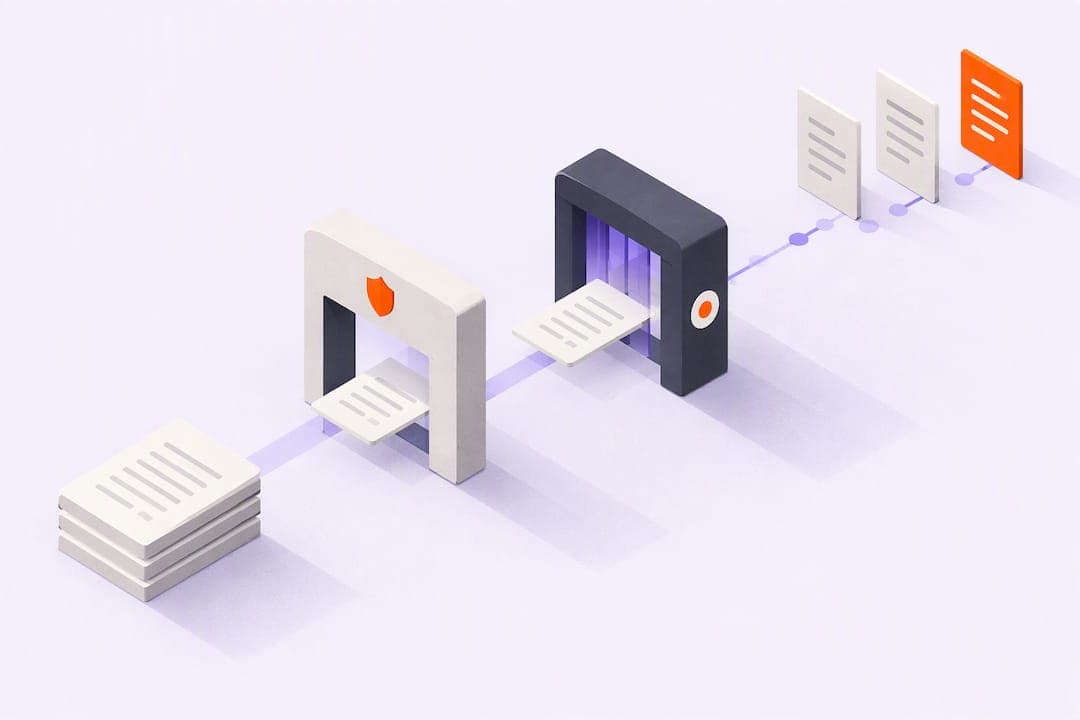
The safest immediate option for sharing sensitive documents is authenticated, encrypted access tied to a verified recipient, never an email attachment or a permanently active public link. That baseline rests on five controls working together: encryption in transit and at rest, recipient authentication, least-privilege permissions, expiration dates, and audit logging. Set those up first, then refine.
TL;DR:
- Low risk files need expiring view only links, medium risk records need authenticated portals, and regulated files warrant managed transfer or end to end encryption.
- Restrict Microsoft 365 and Google Workspace sharing to named people, default permissions to view only, and cap any remaining public links at 30 days.
- Check key custody: provider held keys may expose plaintext to staff, while client side encryption blocks access but complicates recovery after key loss.
- If sharing goes wrong, revoke the link immediately, inspect access logs, notify affected parties when required, and document the incident.
Table of Contents
- 1. High-impact secure-sharing practices to apply now
- 2. Technical protections explained: encryption, link types, and authentication
- 3. Operational controls and secure workflows
- 4. Cloud platform secure configuration for Microsoft 365 and Google Workspace
- 5. How to choose the right secure-sharing method for your risk profile
- 6. Example workflow: secure sharing plus page-level analytics
- 7. Why rollout order matters more than tool choice
- Add tracked, auditable visibility to your sharing workflow
- FAQ
- Sources
1. High-impact secure-sharing practices to apply now
Most document leaks trace back to a handful of avoidable habits: static links, no expiration, and no record of who opened what. Fixing these first gives you the largest security gain for the least effort.
- Require recipient authentication (specific-person links, email verification, or MFA) instead of anonymous "anyone with the link" access.
- Route medium- and high-sensitivity files through a secure portal or managed file transfer system rather than an inbox.
- Default every shared file to view-only with a short expiration window, and revoke access the moment it's no longer needed.
- Encrypt files both in transit and at rest, and use client-side encryption when confidentiality requirements are highest.
- Scan every upload for malware, validate file types, and strip hidden metadata before sharing.
- Log each access event with enough detail (who, when, what action) to support an investigation later.
A few operational habits matter as much as the technology. Send passwords or decryption keys through a separate channel from the document itself, such as a text message instead of the same email thread. Revoke outstanding links immediately when someone changes roles or leaves a project, since a forgotten link is functionally the same as an open door. The FTC's Secure File Transfer System illustrates this approach in practice: it combines TLS and AES encryption with short link lifetimes, recipient registration, and mandatory malware scanning, and administrators cannot access file contents once uploaded.
2. Technical protections explained: encryption, link types, and authentication
Encryption comes in layers, and knowing which layer protects what helps you evaluate a tool honestly. TLS protects a file while it moves between your device and a server, but once it lands, the provider typically holds the decryption keys. Server-side encryption protects data at rest on the provider's infrastructure, but again, the provider can usually read it. End-to-end or client-side encryption is different: the file is encrypted before it leaves your device, and only the intended recipient can decrypt it, meaning even the provider never sees plaintext. NIST's guidance on exchanging files recommends approved cryptographic implementations, specifically FIPS-validated modules, and frames file-sharing security as a full system decision rather than a single encryption checkbox.
Link design matters just as much as encryption strength:
- Bearer links grant access to anyone who has the URL, with no identity check, which makes them convenient but risky if forwarded or indexed by accident.
- Recipient-authenticated links require the person to verify who they are, typically by email code or login, before the document opens.
- SSO/SAML fits internal or partner access where an organization already manages identities centrally.
- OAuth and email verification work well for external recipients who don't have a corporate identity to federate.
- MFA adds a second factor and is worth requiring for anything regulated or financially sensitive.
Before trusting a vendor with sensitive files, ask who holds the encryption keys. If the provider holds them, they can technically read your files regardless of marketing claims. Ask about bring-your-own-key options, hardware security module (HSM) backing, and whether their cryptography is FIPS-validated.
3. Operational controls and secure workflows
Technology alone doesn't stop misdirected files or stale access. The process around sharing is what catches mistakes before they become incidents.
- Confirm the recipient's identity before sending anything regulated or high-risk, especially when a request arrives by email with no prior relationship.
- Apply least-privilege sharing: grant the minimum access needed, limit guest scope to specific folders, and avoid blanket organization-wide permissions.
- Automate malware scanning and data loss prevention (DLP) checks at the moment of upload, and add a cloud access security broker (CASB) for visibility across SaaS tools.
- Set retention and destruction rules so files expire automatically, and preserve a chain of custody for anything subject to regulatory hold.
- Monitor continuously: review access logs, set alerts for unusual download patterns, and schedule periodic permission audits.
When a file goes to the wrong person, speed matters. Revoke the link immediately, check the access log to see whether it was opened, notify any affected parties if required by your data protection obligations, and document the incident for your records.
Pro Tip: Keep a one-page mis-send checklist taped to your mental wall: revoke, check logs, notify, document. Rehearsing it once saves panic later.
4. Cloud platform secure configuration for Microsoft 365 and Google Workspace
Most document exposure doesn't come from broken encryption. It comes from tenant settings left on permissive defaults. CISA's SharePoint and OneDrive secure configuration baseline lays out specific admin settings worth matching exactly.
- Limit external sharing to "Existing guests" or "Only people in your organization" rather than leaving it open to anyone with a link.
- Set the default sharing scope to "Specific people" and the default permission level to view-only.
- If Anyone links are used at all, enforce expirations of 30 days or less and keep them view-only by default.
- Restrict guest access to the exact invited email address, and require reauthentication within a reasonable window for external collaborators.
- Layer in conditional access and device posture checks so external partners can't connect from unmanaged or noncompliant devices.
CISA's SCuBA project provides free tenant-assessment tools, ScubaGear for Microsoft 365 and ScubaGoggles for Google Workspace, that check your actual configuration against these secure configuration baselines, surfacing external-sharing and permission gaps before they turn into incidents. Run the scan, rank findings by risk, assign an owner to each one, and pilot fixes with a small group before rolling changes out tenant-wide.
5. How to choose the right secure-sharing method for your risk profile
Not every document needs the same level of protection, and over-engineering low-risk sharing just adds friction without reducing real exposure. A three-tier approach keeps the decision simple.
- Low-risk documents (internal drafts, public-facing materials): short-lived, view-only links with a reasonable expiration are enough.
- Medium-risk documents (client proposals, internal financials): route through an authenticated portal with tenant-level DLP policies applied.
- High-risk documents (legal, health, or regulated financial records): use managed file transfer, end-to-end encryption, or a virtual data room, backed by contractual controls with the vendor.
Before committing to a provider, ask direct questions: Do they use FIPS-validated cryptography? Can they technically prevent their own staff from reading plaintext files? What fields does their audit log actually capture, timestamps, IP addresses, device information? Can they detect and flag when a document has been forwarded beyond the original recipient?
Before a full rollout, pilot the method with real users on real documents. Measure how much friction the authentication step adds, confirm the audit log captures what you need, and test that revocation actually cuts off access immediately rather than after a delay.
6. Example workflow: secure sharing plus page-level analytics
Here's how authenticated sharing and engagement tracking work together in practice. A sales rep sends a recipient-specific tracked link, sent from their own inbox rather than a third-party domain, which requires the recipient to verify their identity before the document opens. From there, the system can capture page-level engagement and flag whether the document gets forwarded to someone else.

This is the workflow WarmDoc supports: our page-level analytics show exactly which sections of a document get attention, our forwarding detection flags when a deck moves beyond the original recipient, and tracked links sent from the sender's own inbox preserve deliverability and the personal relationship. A Zapier integration lets teams route these engagement signals into existing sales or CS tools automatically.
This is one illustrative way to pair secure, authenticated sharing with real audit and engagement signals, not a claim that tracking alone replaces encryption or access controls.
7. Why rollout order matters more than tool choice
Most organizations overinvest in picking the "perfect" encryption standard and underinvest in fixing default sharing settings that are already wide open. Hardening defaults, requiring authenticated recipients, and shortening link expirations deliver the largest risk reduction for the smallest amount of user friction, and they take a day, not a quarter.
Resist the urge to roll out every control at once. Run a tenant scan, fix the highest-risk findings, confirm logging actually works, then pilot with a small group before expanding. End-to-end encryption is a strong tool, but it can complicate legitimate recovery if a key is lost, so weigh that tradeoff deliberately rather than defaulting to the strictest option everywhere.
— Ty
Add tracked, auditable visibility to your sharing workflow
Strong access controls tell you a document was opened. They rarely tell you which pages someone actually read or whether your deck got forwarded to the real decision maker. That's the gap page-level analytics and forwarding detection fill: once your authenticated, encrypted sharing is in place, we add the engagement signal that tells you who to follow up with first and why.

- Page-level analytics show exactly which sections hold attention.
- Forwarding detection flags when a document reaches someone beyond the original recipient.
- Tracked links send from your own inbox, keeping deliverability and personal context intact.
Full plan details, including annual pricing, are on our pricing page. See the complete feature set on our features page, or get started on the WarmDoc homepage.
FAQ
How do I share a document securely?
Use an authenticated, recipient-specific link rather than an email attachment or an open public link, and set it to view-only with a short expiration. Pair this with encryption in transit and at rest, and confirm the platform logs access so you can verify who opened the file.
What are the risks of file sharing?
The biggest risks are bearer links that grant access to anyone who has the URL, permanently open sharing settings that never expire, and attachments with no audit trail or revocation option. Misconfigured cloud tenant settings, rather than weak encryption, cause many real-world exposures.
What should I avoid when sharing sensitive files?
Avoid sending sensitive attachments through regular email without additional protections, since standard email lacks built-in auditing and revocation controls. Also avoid anonymous "anyone with the link" sharing and skipping recipient verification for regulated or high-value documents.
How do I secure my documents?
Combine encryption, authenticated access, least-privilege permissions, and expiration dates as your baseline, then add audit logging to track every access event. For regulated or highly sensitive files, use a managed file transfer system or virtual data room with contractual controls in place.
Sources
- Security considerations for exchanging files over the Internet (NIST ITL Bulletin)
- Secure File Transfer System privacy impact assessment | FTC
- SharePoint and OneDrive secure configuration baseline | CISA