
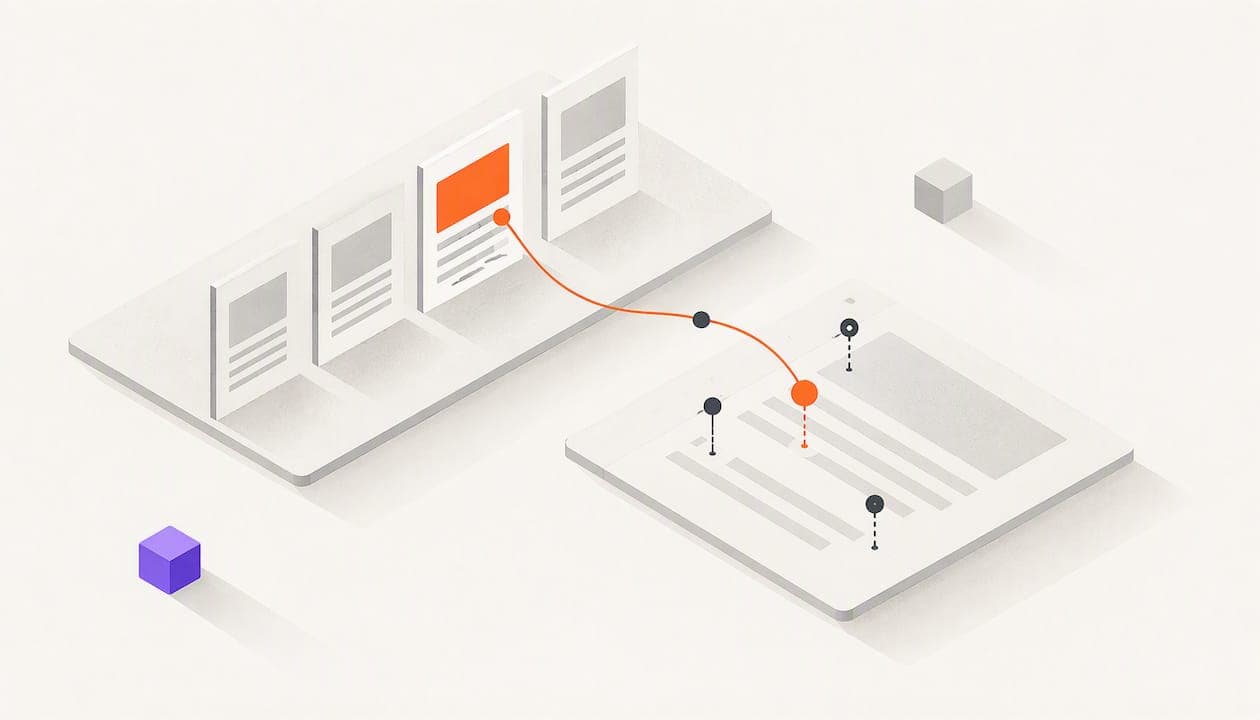
To track case study views, you need two kinds of tracking. For a case study on your website, use web analytics with tagged links, so you know where each visit came from. For a case study you send as a PDF or deck, use a tracked link that shows who opened it, which pages they read and whether they forwarded it. The first tells you which channels work. The second tells you which buyers are paying attention.
Most teams stop at a view count. A count says someone showed up. It doesn't say who, how long they stayed, or whether the page that matters to your buyer was ever read. This guide shows you how to set up both kinds of tracking, read the signals without overreacting, and use them to decide who gets a call today.
TL;DR
- Web case studies: tag every link you share with UTM parameters so your analytics shows the source, medium and campaign behind each view.
- Sent case studies (PDF, deck, one-pager): use a tracked link from your own inbox to see page-by-page attention and forwarding.
- Decide what question you are answering first: which channel drives views, which buyer is warming up, or which story needs a rewrite.
- Read signals as a pattern, not a single event. A quick open can be a scanner. Three pages read twice and a forward is worth a call.
- Tell recipients what you track, and keep the data limited to what you need.
Table of Contents
- Two ways a case study gets viewed
- Start with the question, not the metric
- Track case study views on your website
- Track case studies you send as documents
- How to read the signals without overreading them
- Use case study data in each team
- Our perspective: signal over noise
- Privacy and setup checks before you start
- Track your case studies with WarmDoc
- FAQ
- Sources
Two ways a case study gets viewed
A case study lives in two places, and they need different tools.
On your site. It's a page. Anyone can land on it from search, social, an email, a sales rep's message or a partner's newsletter. You don't know who they are, but you can know how they got there and what they did next.
In a message. It's a file or a link a rep sends to a named person. Here you care less about the channel and more about the person: did they open it, what did they read, and who else saw it?
Mix these up and you get bad answers. Web analytics can't tell you that the CFO at an account you're chasing read your pricing-impact page twice. A document tracker can't tell you which campaign drove 400 visits to your public case study library. Use each for what it does well.

Start with the question, not the metric
Before you pick a number to watch, write down what you need to decide. Content analytics guidance from Mindstamp makes the same point: define the question first, so the data drives a decision rather than just filling a report.
Here are four questions that cover most teams:
- Which channels bring people to this case study? (Marketing)
- Who is reading the case study I sent, and is it time to follow up? (Sales, business development)
- Which part of the story do people skip or reread? (Marketing, product)
- Which customer should I send what before a renewal call? (Customer success)
Question 1 is a web analytics job. Questions 2 to 4 are page-level document jobs. Pick one to start and add the others later.
Track case study views on your website
For a case study page on your own site, the work is mostly about labeling traffic so you can tell it apart afterward.
Tag every link you control
UTM parameters are short tags added to a URL. Google's help page on URL builders for custom campaign links lists the core ones: utm_source names the referrer, utm_medium names the type of channel such as email, and utm_campaign names the campaign. A tagged link looks like this:
yoursite.com/customers/acme-case-study?utm_source=sales-email&utm_medium=email&utm_campaign=q4-manufacturing
The U.S. Centers for Disease Control and Prevention explains the purpose in a job aid on campaign link tagging. Campaign links help attribute website traffic and conversions to a campaign, platform, post or creative, and show where visitors came from and what they do next. It is a public health document, but the logic is the same for a case study.
Keep your tags consistent
Most tagging problems are naming problems. If one person writes LinkedIn, another writes linkedin and a third writes li, your report splits one channel into three rows. Agree on a short list of sources and mediums and put it in a shared doc. Use lowercase, hyphens and no spaces.
A starter set:
| Where the link goes | utm_source | utm_medium |
|---|---|---|
| Rep email | sales-email | |
| Newsletter | newsletter | |
| LinkedIn post | social | |
| Partner mention | partner-name | referral |
| Paid ad | platform name | paid |
Don't tag links inside your own site. Internal tags overwrite the real source of a session and make your data worse.
Add events for what visitors do
A page view is the thinnest signal. Google Analytics lets you configure additional events to capture more behaviors and build more useful reports. For a case study, the useful ones are scroll depth, a click on the "book a demo" button, a click to download the PDF and a click on a related case study.
If you also want to see how AI tools and chat assistants send traffic to your content, this walkthrough on checking LLM traffic in GA4 covers the setup.
Report on it in one line
Marketers who report on campaigns well tend to boil the result down to a decision: fund it, scale it or stop it. A short guide on campaign reporting metrics frames it that way, and it works for a case study too. If a LinkedIn post sends 300 visits and nobody scrolls past the first screen, you have a decision to make. If a newsletter sends 40 visits and six of them book a demo, you have a different one.
Track case studies you send as documents
Web analytics goes quiet the moment a rep attaches a PDF. That is a problem, because the case studies that close deals are often the ones sent to a specific buyer in a specific thread.
The fix is to send a tracked link instead of an attachment. The recipient clicks, reads in a browser, and you get a record of what happened. Our guide to document link tracking for sales and CS goes deeper on flagging hot leads safely. Here is the short version.
What you should be able to see
- Who opened it. Each recipient gets their own link, so you know which person it was.
- Which pages they read, and for how long. Page two on ROI numbers matters more than a cover page glance.
- Whether they came back. A second visit two days later is a stronger sign than a first open.
- Whether it was forwarded. If a new viewer appears, someone passed it on, often toward a decision maker.
A plain "opened" notification can't tell you any of this. Worse, some opens come from email security scanners that pre-fetch links before a human sees them. Page-level reading time is much harder for a scanner to fake, which is why we put it at the center of how WarmDoc works.
A short worked example
Say you sell workflow software and send a case study to a VP of operations on Tuesday morning.
By 10:05 you get an open. That alone means little. Two hours later you see the viewer spent 20 seconds on the cover, 90 seconds on the results page and 40 seconds on the implementation timeline. On Wednesday, a second viewer from the same company opens it and reads only the results page and the pricing note. That second viewer is new, so the case study was forwarded.
What you now know: the VP cares about results and implementation effort, and someone else is being brought into the conversation. Your follow-up writes itself. You reply Wednesday afternoon: "Happy to walk through how Acme cut onboarding time, and I can bring the timeline detail your team will want to see." You haven't said "I saw you opened it." You've just made the next step relevant.

That is the difference between a call based on a guess and a call based on attention.
Set up tracked sends in five steps
- Upload the case study PDF or deck to your tracking tool.
- Create a link for each recipient, not one link for the whole list.
- Send it from your own inbox, in a normal personal email, so it reaches the inbox and reads like you wrote it.
- Turn on alerts for the pages that matter, usually results, pricing and implementation.
- Check the dashboard before you follow up, and write the message around what they read.
If you want to test this without a big rollout, our two-week PDF tracking pilot turns page views into concrete sales tasks, and the guide to real-time engagement alerts shows how to set notifications so reps actually act on them.
How to read the signals without overreading them
Engagement is not one thing. The Media Rating Council describes it as a spectrum of cognitive, emotional and physical activity, and treats it separately from exposure measures such as viewable impressions in its social media measurement guidelines. Put plainly: someone being shown your content and someone caring about it are two different facts.
A practical way to apply that to case studies is to rank signals from weak to strong.
| Signal | What it likely means | What to do |
|---|---|---|
| Single open, under 10 seconds | Scanner, preview pane or a misclick | Wait. Don't mention it |
| Opened, read first page only | Curiosity, no commitment yet | Keep your normal cadence |
| Read results and pricing pages | Evaluating fit | Follow up the same day with a relevant next step |
| Returned for a second visit | Still thinking about it | Offer a call or a short summary |
| New viewer appears (forward) | Others are involved | Ask who else should be on the next call |
| Several viewers, repeated reads | Active internal review | Prioritize now and offer a joint walkthrough |
Two cautions keep you honest.
First, a missing signal is not a "no." The buyer may have printed it, read it on a phone with the tab left open, or discussed it on a call. Treat tracking as a way to prioritize, not a way to judge.
Second, don't build a script out of one data point. If you open with "I see you spent 47 seconds on page three," you will sound like you're watching them. Use the signal to choose the topic, and leave the stopwatch out of the message. Our nine-step engagement scoring guide shows how to combine several signals into a hot, warm or cold score so no single event drives the decision.
Use case study data in each team
Sales and business development
Your best use is timing and relevance. Follow up when a recipient reads the pages that map to buying concerns, and tailor the message to those pages. If a prospect lingered on the integration section, lead with integrations. If a forward happened, ask for an introduction to the new reader instead of repeating the original pitch. Our piece on proposal analytics tactics applies the same approach to proposals.
Marketing
Page-level data tells you what to fix. If most readers drop off after the problem statement, your results come too late. If everyone rereads a single chart, move it up and make it the headline. If one case study gets sent often but rarely read past page one, the subject line or title promise may be stronger than the content. For a fuller framework, see our guide to content effectiveness metrics and the one on acting on engagement signals.
Customer success
Before a renewal or expansion call, send a case study about a customer who grew with a feature your client hasn't adopted. If they read it carefully, open the call there. If they ignore it, you learn the topic isn't a priority and can switch to something else without wasting the meeting.
Product
Case studies highlight use cases. Page-level reading shows which use cases people care about most, which is a cheap, honest input for roadmap conversations. It's not a replacement for interviews, but it points you to the right questions.
Sales content audits
If you have a library of case studies, rank them by how far readers get and how often they lead to a reply. Retire the ones nobody finishes. Our sales content audit and sales content ROI guides show how to do this with page signals rather than download counts.
Our perspective: signal over noise
We built WarmDoc because "opened" is the most overused word in sales. An open can be a person, a scanner or a preview pane. A rep who calls on every open burns time and goodwill. A rep who ignores them misses real interest.
We think the answer is to measure attention at the level where buying decisions form: the page. A buyer who rereads your results page and forwards the deck to a colleague has told you something no open ever could. That is why we focus on page-level reading, forwarding detection and links sent from your own inbox, where the message looks like what it is: a note from a person.
We also think tracking should help you be more useful, not more pushy. The best use of a view is a better question, a better next step or a better case study. If a signal doesn't change what you do next, don't chase it.
— Ty
Privacy and setup checks before you start
Tracking people means collecting data about people. Get a few things right early.
- Say what you track. If you track visitors on your site, say so in your privacy policy. If you send tracked links, a short line in your signature or email can help build trust.
- Collect only what you need. The FTC's privacy framework recommends privacy by design, reasonable limits on collection, sound retention and disposal practices, and accurate data.
- Be careful with confidential material. The FTC's notice on misuse of information says using tracking technologies such as pixels, cookies or SDKs to analyze information collected in a confidential context for other purposes can require affirmative express consent, with disclosures that are clear and conspicuous rather than buried in a privacy policy. If your case study involves anything sensitive, talk to your legal counsel before you set up tracking.
- Lock down access. Use expiring links and viewer permissions for anything not meant to be public. Our guide to document sharing security walks through five controls to set before you track engagement.
- Limit who sees the data. Reps need their own recipients. Not everyone needs the whole dashboard.
This is general information and not legal advice. Your counsel can tell you what applies to your industry and your customers' states.
Track your case studies with WarmDoc
WarmDoc gives you page-by-page engagement, forwarding detection, recipient-specific links, real-time notifications and hot, warm or cold pipeline scoring, plus team analytics and a Zapier integration. You send tracked links from your own inbox, so the email looks like your email.
Plans start free. Pro is $19 per month per user, or $190 per year per user. Team is $39 per month per user, or $390 per year per user. You can start free on warmdoc.io, compare plans on the pricing page or look through the features first.

Upload one case study, send it to the next three prospects with their own links, and watch it warm up.
FAQ
Can I see who viewed a case study on my website?
Usually not by name. Web analytics shows aggregate behavior such as source, pages and events, not individual identities. To know who read a case study, send it as a tracked link to a named recipient, so each view is tied to that person.
What is a good number of views for a case study?
There is no universal benchmark, because it depends on your traffic and audience. Compare each case study to your own others, and look at depth of reading and follow-up actions, such as demo requests, rather than raw views alone.
How do I know if a view was real or just a scanner?
Look past the open. A scanner tends to produce an instant visit with no reading time across pages. A person leaves a trail: time on specific pages, a return visit, or a new viewer after a forward. Page-level tracking is the most reliable way to tell the two apart.
Should I tell prospects I'm tracking their views?
Being open about it is a good practice, and it can be as simple as a line in your privacy policy or email footer. Don't quote exact reading times back at them. Use what you learned to pick a relevant topic instead.
Can I track case study views without a paid tool?
For website case studies, yes. Google Analytics with tagged links and a few events covers channels and basic behavior at no cost. For sent documents, WarmDoc has a free tier that lets you try page-level tracking before you commit to a paid plan.
Sources
- URL builders: Collect campaign data with custom URLs, Google Analytics Help
- Tracking Website Engagement Using Campaign Links, CDC
- Recommended events, Google Analytics
- Content Engagement Metrics and How to Analyze Them, Mindstamp
- Social Media Measurement Guidelines, Media Rating Council
- Protecting Consumer Privacy in an Era of Rapid Change, FTC
- Notice of Penalty Offenses Concerning Misuse of Information Collected in Confidential Contexts, FTC
- Campaign reporting metrics
- Checking LLM traffic in GA4