
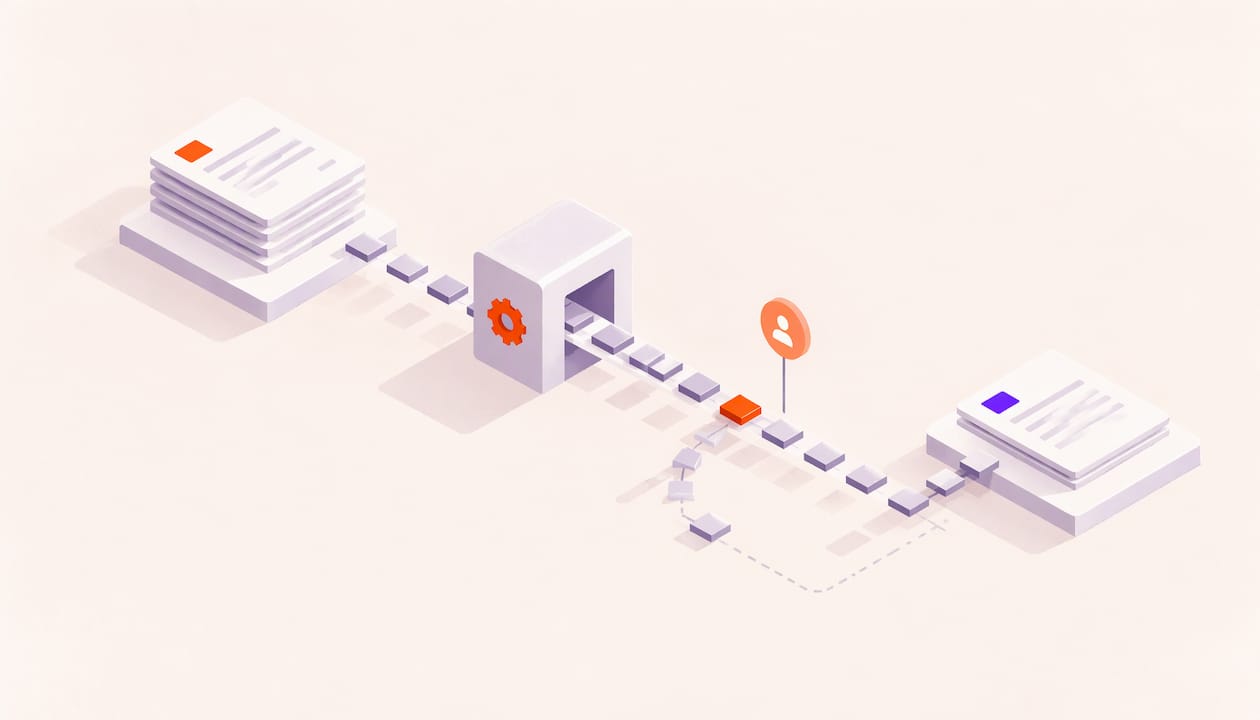
The best sales follow-up automation does not send more messages. It tells you who to contact, when, and about what, based on what the buyer actually did with your proposal or deck. Then you write the message yourself. Automate the trigger and the reminder, keep the human note, and your follow-ups get sharper instead of louder. WarmDoc is built for that first half: page-level engagement tracking that shows you which prospect is warming up so the right follow-up starts at the right moment.
TL;DR
- Automate the signals and tasks (alerts, reminders, scoring, CRM updates). Keep the message and the relationship in human hands.
- Trigger follow-ups from behavior, such as pages read or a deck forwarded, not from a calendar alone.
- Use a short, capped sequence with a clear stop condition: a reply, a booked meeting or a no.
- Know the U.S. rules: CAN-SPAM covers business email, and texting or autodialed calls need consent.
- Measure reply rate, time to reply and time to close, then test one change at a time.
Table of Contents
- What sales follow-up automation actually covers
- Why timing and signals beat volume
- How to build an automated follow-up workflow
- A worked example: the quiet proposal
- How many follow-ups, and how often
- Don't mistake activity for intent
- Who else on your team benefits
- U.S. rules to know before you automate
- How to measure whether it works
- Perspective: why we automate signals, not sentences
- Start with the signals you already have
- FAQ
- Sources
What sales follow-up automation actually covers
Sales follow-up automation is software that handles the repetitive parts of what happens after a lead enquiry, a call, a demo or a proposal. Depending on the setup, that can include reminders, task creation in your CRM (the system where you log deals), meeting summaries, draft messages, lead status updates and alerts when a deal goes quiet. The salesperson stays responsible for the customer relationship, as one industry guide describes it.
It helps to split the work into three layers:
- Signals. What did the buyer do? Opened a link, read the pricing page, forwarded the deck.
- Decisions. Who is worth a call today, and who can wait?
- Messages. What do you say, through which channel, and how often?
Most teams automate layer three first, because it is the easiest to see. That is also where follow-up goes wrong: a sequence fires on a schedule whether or not the buyer has shown any interest. The stronger move is to automate layers one and two, then let a person handle layer three with context.
Why timing and signals beat volume
Reps rarely lose deals because they sent too few emails. They lose them because the follow-up landed at the wrong moment, or said something generic. A prospect who has just read your pricing page twice is a different conversation from one who never clicked.
A plain "just checking in" gives the buyer nothing new. A follow-up that references what they care about does. Zoom's guidance on follow-up messages makes the same point about timing, clarity and personalization: match the urgency of the original conversation and include one clear ask.
That is where document engagement data earns its place. When you send a proposal or deck, you normally get one piece of information: nothing. Silence could mean disinterest, a busy week or an internal review you cannot see. Page-level analytics turn that silence into something readable. You see which pages got attention, and whether the file moved to someone else on the buying team.
With WarmDoc, you send a tracked link from your own inbox, which supports deliverability and keeps the relationship in your name. You then get real-time notifications, page-by-page engagement, and detection of forwarding, which is a credible sign that a decision maker is now involved. Each recipient gets their own tracking, so you know which person did what.
If you want the deeper timing playbook, our guide on how long to wait at every sales stage covers it step by step.
How to build an automated follow-up workflow
Here is a workflow that works for proposals, decks and quotes. It is built to be simple enough to run for a single rep and scale to a team.
Step 1: Map your follow-up moments
List the moments where deals usually stall: after a discovery call, after a demo, after a proposal goes out, and after a long silence. For each one, write down what the buyer needs next. Do this before you touch any tool. A workflow that automates a confusing process just makes the confusion faster.
Where it goes wrong: teams build one generic sequence for every lead. A new inbound enquiry, a post-demo prospect and a stalled proposal need different follow-ups.
Step 2: Send content you can track
Automation needs input. If your proposal goes out as a plain attachment, you have no signal to automate on. Upload it, share a tracked link, and send it from your own email account. In WarmDoc, that is the starting point: upload the deck, send the link to each recipient, and watch it warm up.
Where it goes wrong: sending one shared link to a whole buying committee. You cannot tell who read what. Use a unique link per recipient.
Step 3: Define the triggers
A trigger is the event that starts a follow-up task. Good triggers are specific to buyer behavior:
- The recipient opens the deck and spends time on the pricing or scope pages.
- The deck is forwarded to a new person.
- The recipient comes back a second or third time.
- Nothing happens for a set number of days after sending.
The first three are interest signals. The last is a silence signal. You need both. WarmDoc's pipeline scoring labels deals hot, warm or cold from this behavior, so your list of who to call first sorts itself.
Where it goes wrong: treating every open as intent. Some opens are automated security scanners that preview links, not people. That is why reading pages and time, not just opens, matters. A single open with no page activity deserves a patient wait, not a rushed call.
Step 4: Set the timing
Use a response window that matches the signal. A hot signal deserves a same-day touch. A cold, quiet proposal needs a gentler cadence. As a rough pattern, think of a recap within a day or two after a meeting, then a check-in about a week after sending a proposal, then a final, low-pressure note. For more cadence examples, five sales sequence cadences and when to use them shows how different lengths fit different deals.
For demos specifically, speed matters, and a demo follow-up email sent within two hours is a good target to aim for when the call is fresh.
Where it goes wrong: setting one fixed delay for everyone. Let the signal move people up the queue. A prospect who just reread your pricing page should not wait for day seven.
Step 5: Personalize with what you saw
This is where the page data pays off. If a buyer spent the most time on implementation, lead with implementation: a short answer to the question that page probably raises, a relevant example, one link. Do not announce that you tracked them. Open with the problem their reading suggests, and offer help.
To see how engagement turns into outreach, our post on six follow-up workflows built on page signals walks through examples your team can copy.
Where it goes wrong: a mail-merge name and a vague opener. Personalization is the specific thing you noticed, not the first name.
Step 6: Add stop conditions
Every automated follow-up needs a clear end. Stop when the buyer replies, books a meeting, says no, or the sequence runs out. Then a human takes over. Also stop when someone asks to be removed. More on that in the compliance section.
Where it goes wrong: sequences that keep firing after a reply. Nothing damages trust faster than a reminder to a buyer who already answered.
Step 7: Route the alerts to where your team works
If your reps live in a CRM or chat tool, signals should show up there. WarmDoc connects with Zapier, so engagement events can feed the tools you already use instead of living in one more dashboard.
A worked example: the quiet proposal
Here is how this looks in a normal week.
Maya is an account executive. On Monday she sends a proposal to Dan, her main contact, from her own inbox using a tracked link. She also sends it to Priya, his finance lead, with her own link.
Tuesday: Dan opens it for two minutes, mostly on the overview. Pipeline status: warm. Maya does nothing yet.
Wednesday: Priya opens the file and goes straight to pricing, then rereads it. Maya gets a real-time notification. Status moves to hot. She sends Priya a short note with a two-line answer to the most likely pricing question and offers a 15-minute call.
Thursday: The deck is forwarded to a new viewer. This is a forwarding signal, and it suggests a decision maker is now looking. Maya asks Dan, lightly, whether it would help to walk the wider group through it.
Notice what happened. No one got a template on a timer. Maya spent her time on the moments that mattered, because the data told her which ones those were. If nothing had moved by day seven, her silence rule would have prompted a short check-in instead.

How many follow-ups, and how often
There is no universal number, but the pattern most practitioners recommend is short and spaced out, with a clear value in each touch. A proposal usually deserves a few follow-ups across two to three weeks. After a meeting, a recap within a couple of days plus one check-in later is typical. Past three or four, it can start to feel like pressure.
Vary the content, not just the timing:
- A recap of what you agreed and the next step.
- A useful resource tied to a concern they raised.
- A low-pressure closing note that makes it easy to say yes, no or not now.
Our proposal follow-up email templates give you wording for each touch, and the guide to improving response rates on follow-ups covers the small edits that lift replies.
Don't mistake activity for intent
Not every signal means a deal is moving. Treat signals in tiers:
| Signal | What it likely means | Your move |
|---|---|---|
| Single open, no page time | Possible scanner or a quick glance | Wait, watch for a second view |
| Several pages read, one return visit | Real interest | Same-day, specific note |
| Pricing or scope pages reread | Evaluating cost or fit | Offer a short call |
| Deck forwarded to new viewer | Buying group widening | Ask to include them, offer a walkthrough |
| No activity after the set days | Stalled | Short check-in with something new |
Combine signals with context. Is there already an open conversation? Has the account been active elsewhere? Our guides on engagement scoring with page-level analytics and document engagement as buyer intent signals show how to weigh them.
Who else on your team benefits
Follow-up is not only a sales task.
- Customer success managers can see which renewal or onboarding materials a client actually read before a call.
- Marketing teams can learn which pages in a campaign deck get attention and which get skipped, then fix the weak ones. See the sales content audit for a same-day method.
- Business development teams can tell which partner proposals are alive.
- Product managers can study how content is used by the people who matter.
- Agencies can show clients which campaign materials drew real engagement.
When marketing hands leads to sales, the handoff also needs rules. Our five-step marketing to sales handoff helps stop leads from dropping between teams.
U.S. rules to know before you automate
Automation makes it easy to send a lot, so know the limits. This is general information, not legal advice. For your specific program, talk to your company's counsel.
Email. The FTC's CAN-SPAM rules cover commercial email, and the law makes no exception for business-to-business email. Headers must be accurate, subject lines must not be deceptive, and messages need a valid physical postal address and a working way to opt out. Honor opt-outs and make sure your own filters do not block them.
Texts and calls. Texting or calling prospects with automated technology brings in the Telephone Consumer Protection Act (TCPA), which generally requires prior express written consent for regulated marketing calls and texts. The FCC has clarified that reply words such as STOP, QUIT or UNSUBSCRIBE count as a valid way to revoke consent, and that revocation requests must be processed within 10 business days. Rules in this area have shifted in recent years, so confirm the current version with your counsel before building a text or call sequence.
A simple habit protects you: every automated sequence should have an opt-out, a stop condition and a record of consent where consent is required.

How to measure whether it works
Pick a few numbers and track them before and after you change your process:
- Reply rate by touch, so you know which message pulls its weight.
- Time to first reply after a proposal is sent.
- Time to close, and stage-to-stage conversion.
- Follow-up speed after a hot signal.
Then change one thing at a time. Test same-day versus next-day follow-up on hot signals. Test a subject line that names the outcome against a generic one. Test a page-specific opener against a standard one. Run each test long enough to see a pattern across several deals before you call a winner.
Team analytics in WarmDoc help here, and its coaching suggestions are based on behavior patterns, which is useful when a rep is underperforming and you want to see where follow-up slips.
Perspective: why we automate signals, not sentences
We built WarmDoc around one idea: a follow-up is only as good as what you know when you send it. Most tools tell you a document was opened. That is a thin signal, and sometimes a false one.
We think page-level analytics and forwarding detection give you something better: credible evidence of real attention. When you can see which pages held a buyer's eye, you can prioritize the right deals and say something that matters.
That is why we keep the human in the loop. You send the link from your own inbox. You write the note. We help you know when to do it, and who to do it for.
Ty
Start with the signals you already have
You do not need a full automation stack to start. Upload your next proposal to WarmDoc, send tracked links from your own inbox and let the hot, warm and cold labels tell you where to spend your day. The Free plan costs $0 per month. Pro is $19 per month per user, and Team is $39 per month per user. Annual billing is $190 per user per year for Pro and $390 per user per year for Team. See pricing for the full details, or start free.

Want to see the steps first? How WarmDoc works and the features overview show the full flow, and our guide to tracking sales presentations explains how to act on what you see.
FAQ
What is the best way to automate sales follow-up?
Automate the signals, reminders and task creation, and write the message yourself. Trigger follow-ups from buyer behavior such as pages read or a forwarded deck, rather than a fixed timer. That keeps the outreach relevant and the relationship personal.
How many follow-ups should I send on a proposal?
A few, spread over two to three weeks, is a common pattern. Each should add something new: a recap, a useful resource, then a simple closing note. Stop as soon as the buyer replies or declines.
Is automated follow-up legal in the U.S.?
Yes, with limits. CAN-SPAM applies to commercial email, including business-to-business messages, and requires accurate headers, a postal address and an opt-out. Automated texts and calls generally require consent under the TCPA, so check with your counsel.
How do I know whether a prospect is really interested?
Look beyond opens. Several pages read, return visits, time on pricing and a forwarded deck are stronger signs than a single open. WarmDoc's page-level analytics and forwarding detection show these directly.
Sources
- How to Automate Sales Follow-Ups With AI
- 12 follow up message templates that actually get responses
- CAN-SPAM Act: A Compliance Guide for Business (FTC)
- FCC clarifies right to revoke consent for autodialed calls (ABA Banking Journal)
- Sales Sequences: Five Cadences and When to Use
- Demo Follow Up Email for Sales Reps